How to make my own qr code
Make a free QR code that never expires, prints crisply and scans first time on any phone, for a link, your Wi-Fi or a contact card.
- Time
- 20 min
- Difficulty
- easy
- Makes
- 1 QR code
- Steps
- 12 steps
Updated Oct 16, 2026
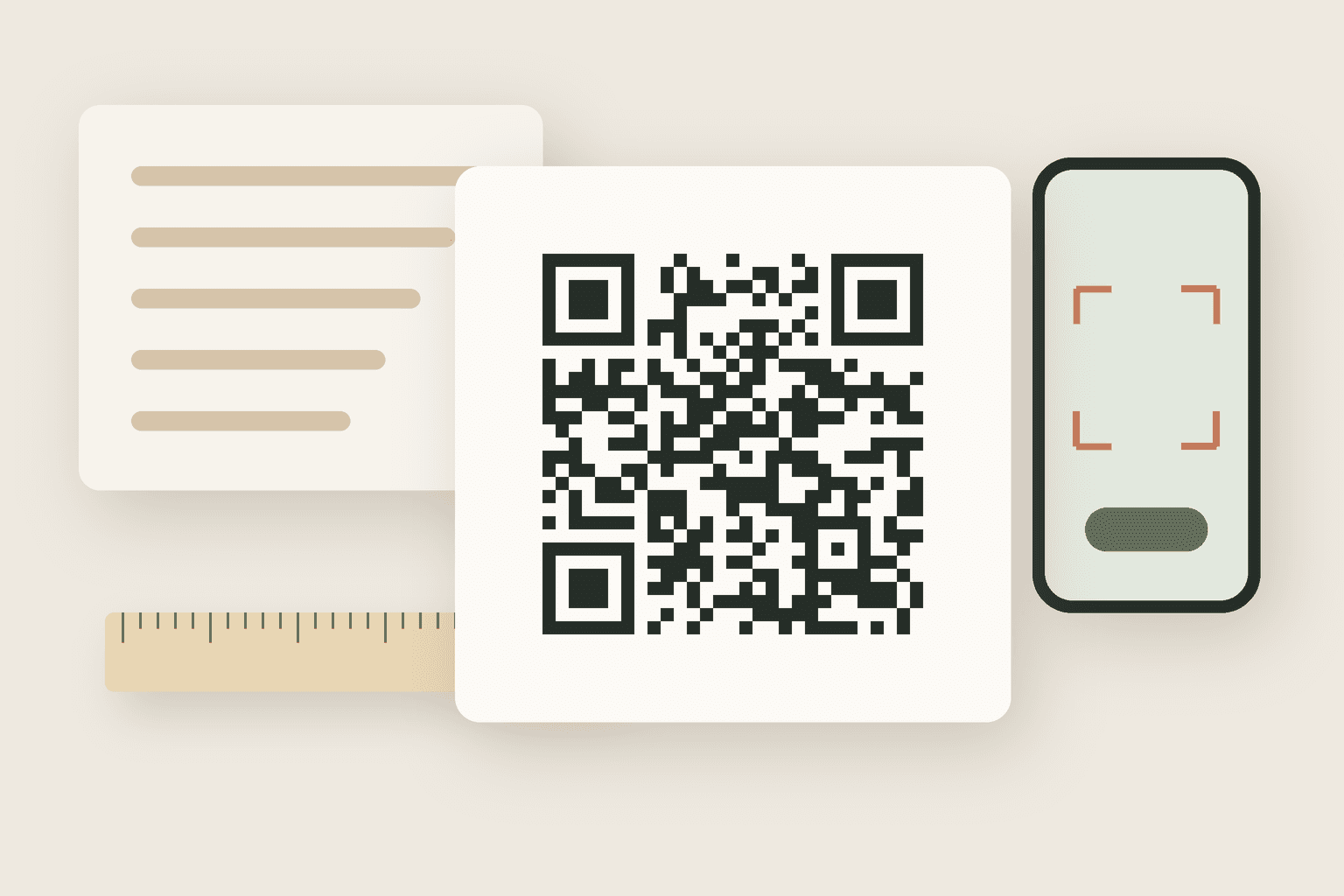
A QR code is just your text or link turned into a grid of black and white squares that a phone camera can read. You can make one for free in a couple of minutes, and if you make it the right way it will keep working for as long as the thing it points to exists. That last part matters, because many "free QR code" websites quietly give you a code that routes through their servers and stops working when a trial ends.
Plan on about twenty minutes, most of it testing rather than generating. You need no design skills, just a computer or phone, the exact content you want to share, and a few minutes to scan your code at the size it will really be used before it goes on a flyer, a menu or a box of business cards.
What you need
Step by step
- 01
Decide exactly what the code should do before you open any tool. A website needs one full link, including https://. Wi-Fi needs the network name, password and security type (usually WPA/WPA2). A contact card needs name, phone and email. Write it down, because a typo baked into a printed code cannot be fixed later.
- 02
Choose a static code, not a "dynamic" one. A static code stores your link or text directly in the squares, so it works offline, has no account and never expires. A dynamic code stores the generator company's short link, which redirects to yours: handy for tracking scans, but if the company shuts down or your plan lapses, every printed copy breaks. For anything you will print, static is the safe default.
- 03
Make the content as short as you can. Every extra character adds more, smaller squares, and dense codes are harder to scan from a distance or on a crumpled leaflet. Remove tracking junk from links (everything after a ? that you do not need), and use a short link on a domain you control if the address is very long.
- 04
Generate the code with a tool that does not route it through anyone else. For a web page in desktop Chrome, open the page, then use the address bar's share icon (or right-click the page) and pick "Create QR code", then download it. For full control, install qrencode and run: qrencode -t SVG -l M -m 4 -o code.svg "https://example.com/menu". In Python, install it with pip install "qrcode[pil]" and call qrcode.make("https://example.com/menu").save("code.png").
- 05
For Wi-Fi, encode the special Wi-Fi text instead of a link, so guests can join with one tap: WIFI:T:WPA;S:YourNetworkName;P:YourPassword;; (note the two semicolons at the end). If your network name or password contains ; , : \ or ", put a backslash in front of each one, or the phone will read the password wrong. Use T:nopass and leave out P: for an open network.
- 06
Pick an error-correction level. QR codes carry spare data so they still scan when part is scratched or covered: L recovers about 7%, M about 15%, Q about 25% and H about 30%. Use M for screens and clean paper. Use Q or H for stickers, outdoor signs and anything that will get scuffed. Higher levels make the code denser, so do not use H unless you need it.
- 07
Keep the quiet zone. The blank white border around the code is part of the code: the standard asks for a margin four squares wide on every side. Do not crop it off to save space, and do not let a design element, text or background pattern run up to the edges. A missing margin is the single most common reason a perfectly generated code will not scan.
- 08
Export it in a format that stays sharp. SVG is best for printing because it scales to any size with crisp edges. If you need PNG, generate it large (at least 1000 pixels wide) instead of enlarging a small one later. Never save the code as a JPEG or let a messaging app compress it: the blurry, smudged edges confuse scanners.
- 09
Size it for the scanning distance. A good rule is that the code should be at least one tenth of the distance it will be scanned from: 2.5 cm (1 inch) square for a business card read at arm's length, 10 cm (4 inches) for a poster read from a metre away, and bigger for a shop window. For print, 2 cm (about 0.8 inch) square is a sensible minimum.
- 10
Place it as dark squares on a light background with strong contrast. Black on white is the most reliable. Dark navy on cream works too. Light-on-dark ("inverted") codes and pale colours fail on some older phones and scanner apps. Avoid glossy laminate where the light will glare, and avoid wrapping the code around a curved bottle or mug where it bends.
- 11
Test before you print the batch. Print one copy at the real size (or put it on the real screen) and scan it with each phone's normal camera app from the real distance, in the real light. Check that the link opens the right page, the Wi-Fi actually connects, or the contact saves with every field correct. Then scan it once more at a slight angle and from a little further away.
- 12
Save the source. Keep the SVG, the exact text you encoded and the settings you used in one folder. If you need the same code in a new size later, generate it fresh from that text instead of scaling up a screenshot of the old one.
Email me the checklist
Checklist email is coming soon — use Print / save PDF for now, or check the materials list above.
Notes
- Common failure: a code that worked for months suddenly shows an advert or an "upgrade your plan" page. That is a dynamic code from a generator website whose free trial ended. The fix is to make a static code that points straight at your link, and reprint. To avoid it from the start, check the code yourself: if scanning it shows the generator company's web address instead of yours, it is dynamic.
- Adding a logo in the middle is possible because of error correction, but it eats into the spare data. If you do it, use level H, keep the logo small (well under a quarter of the code's width), keep the three big corner squares completely clear, and test harder than usual.
- Colours are fine as long as contrast stays high. Keep the squares dark and the background light, and avoid gradients that fade the squares near the edges.
- Scam awareness: fake QR stickers placed over real ones on parking meters and posters are a known trick. If your code is in a public place, add a short line of text with the web address next to it, so people can check where it leads, and look at your posted codes now and then.
- A static code can only point to one place forever. If you think the destination may change, point it at a page on your own website that you can update, rather than buying a dynamic code plan.
Questions people ask
Helpful resources
Make something else
Craft
How to make my own
air dry clay trinket dish
Shape a small clay dish for rings and keys without a kiln, then paint and seal it so it lasts. Very little kit needed.
- Time
- 1 h
- Difficulty
- easy
- Makes
- 2 small dishes
Wellness
How to make my own
lip balm
Melt beeswax, shea butter and oil into smooth lip balm tubes in about half an hour, with the firmness and scent you choose.
- Time
- 35 min
- Difficulty
- easy
- Makes
- about 10 tubes
Craft
How to make my own
pressed flower bookmarks
Press real flowers flat in a book, then seal them onto card for bookmarks that keep their colour and don't shed petals.
- Time
- 45 min
- Difficulty
- easy
- Makes
- 4 to 6 bookmarks
Craft
How to make my own
scrunchies
Sew soft fabric scrunchies from scraps in about 20 minutes each, by machine or by hand, in silk, cotton or velvet.
- Time
- 30 min
- Difficulty
- easy
- Makes
- 1 scrunchie